StorageDiag Utilities_
StorageDiag Utilities (SDU) is the local-only edition of the live tools from StorageDiagLV, installed directly on the client — your QNAP NAS — from the sdu.qpkg package. Everything runs on that box and reads its own data: SMART/FARM straight from the live drive, /proc, network interfaces, RAM.
This is not a log-dump reader — it is an active workbench. The unprivileged web panel never runs commands itself; it hands operations to a trusted daemon running as root, drawn only from a fixed, allowlisted set of operations (configuration can only disable them, never add). Built for support engineers and admins who need to confirm and act on a live machine.
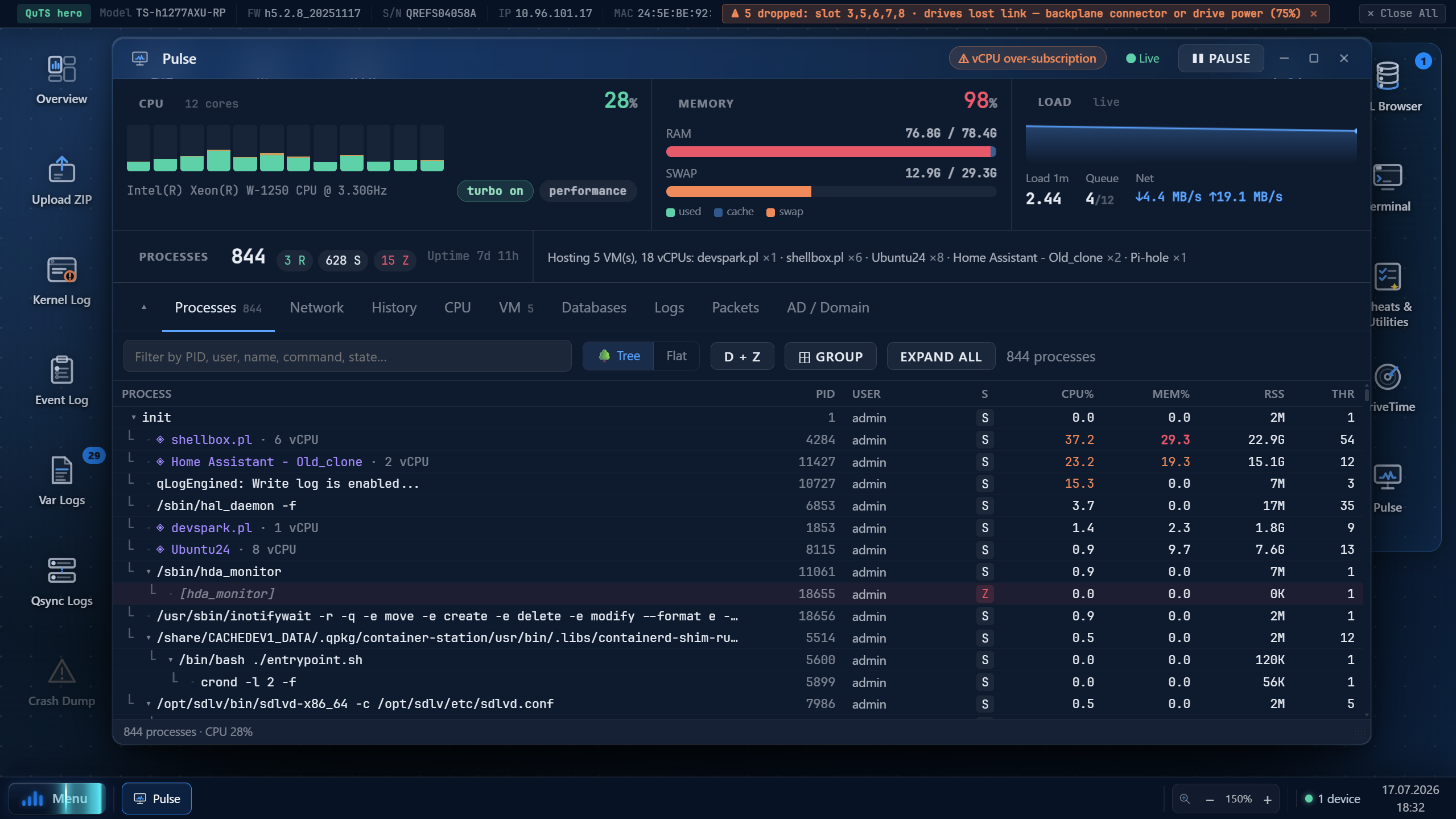
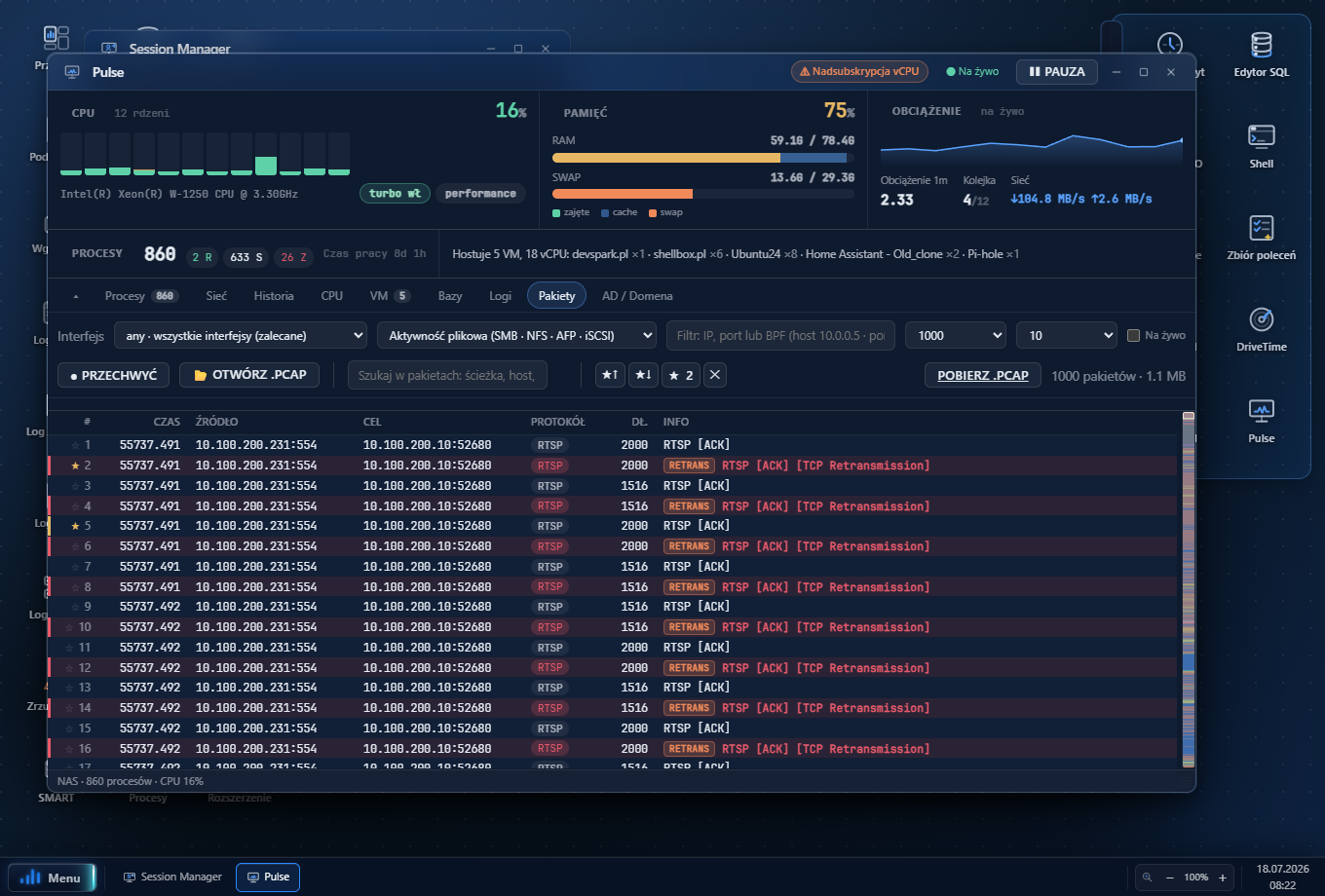
◆ Pulse — performance & process cockpit
CPU/RAM/load meters, a process tree with actions (kill, renice, CPU governor, drop caches) and tabs for network, VMs, databases, logs and a Wireshark-style packet analyzer (recognises SMB, torrents/DHT, SSDP, QNAP discovery; minimap, bookmarks, IP→host resolution).
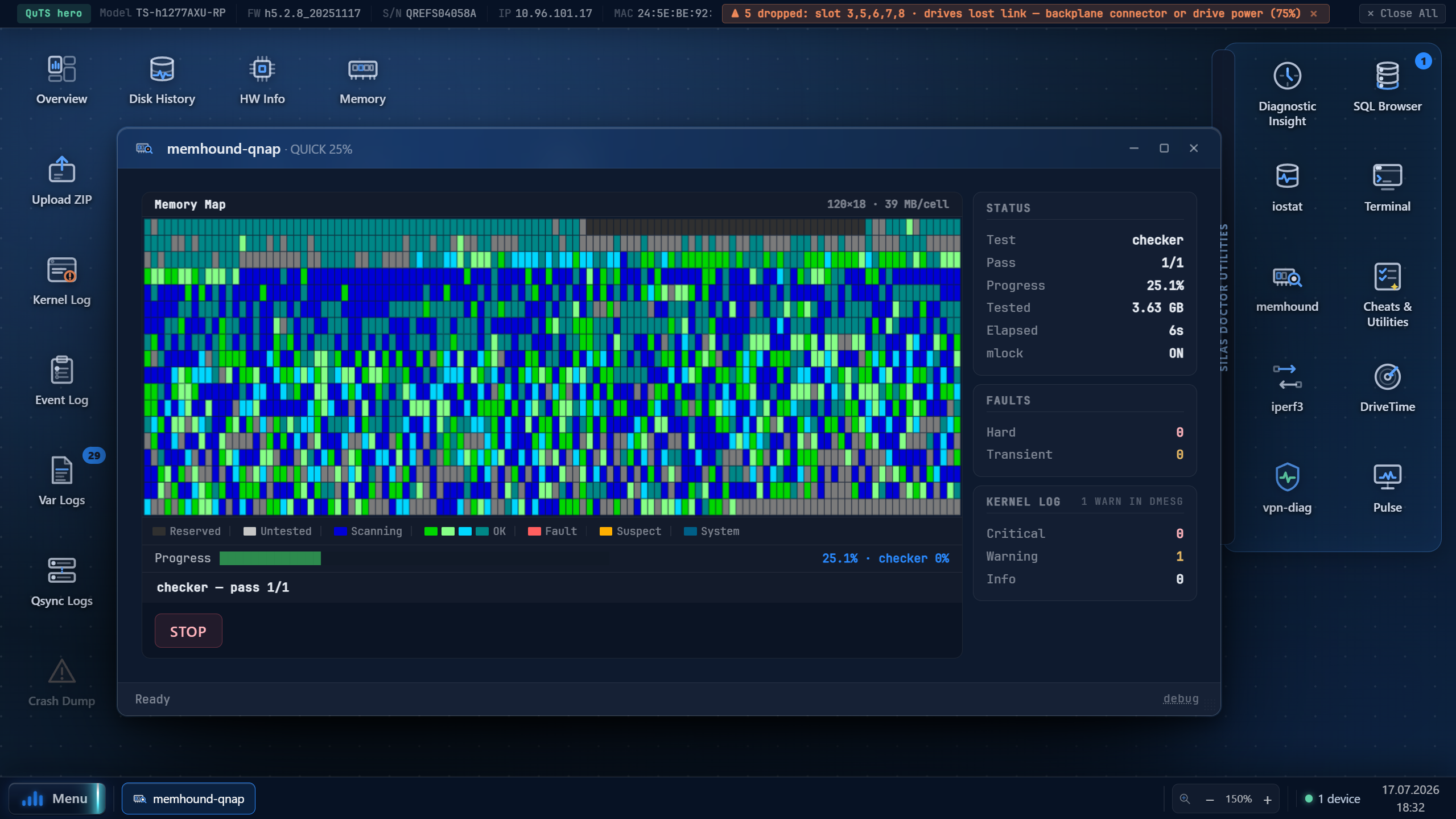
◆ memhound — RAM tester
An original memory tester with memtest86-style patterns plus a fast test. Its principle: never a false positive — a flagged fault is real to ~99.999%. It also reads the logs: when crashes spread across programs or a machine-check appears, it flags the RAM proactively and walks you up an escalation ladder (quick → suspend-services → offline/boot test).
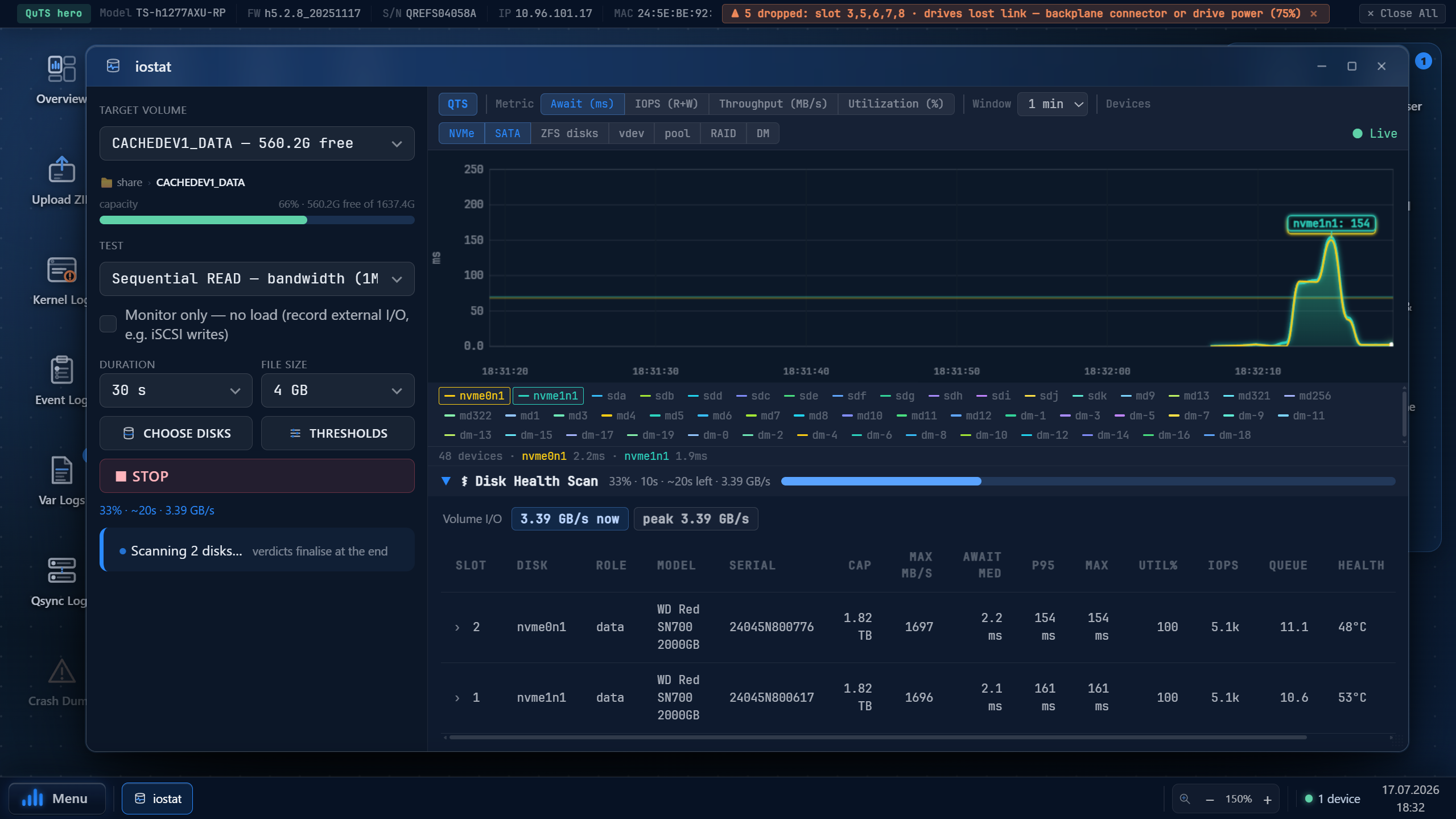
◆ iostat — I/O monitor & benchmark
Live per-disk throughput, latency and IOPS, plus a Disk Health Scan that pinpoints the weak disk dragging down a whole RAID.
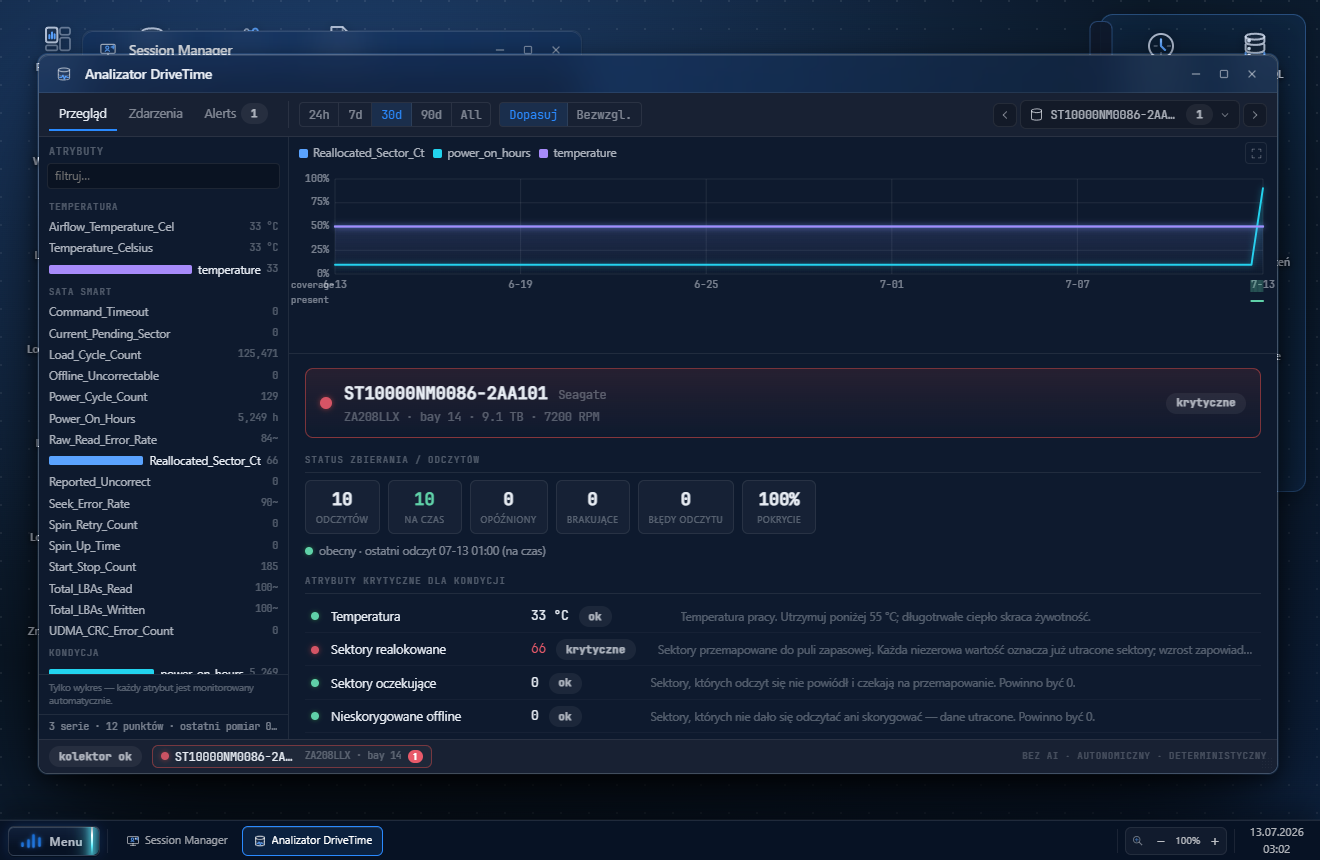
◆ DriveTime — SMART/FARM history
An hourly collector builds a time-series of every disk's attributes — see a value climbing before it trips a hard limit.
◆ iperf3 — network throughput
Bandwidth and retransmits between two NAS units.
◆ vpn-diag — VPN diagnostics
VPN link quality: MTU, jitter, loss, bandwidth and stability.
◆ Terminal (root)
An interactive root shell on the NAS (admin only), through the daemon.
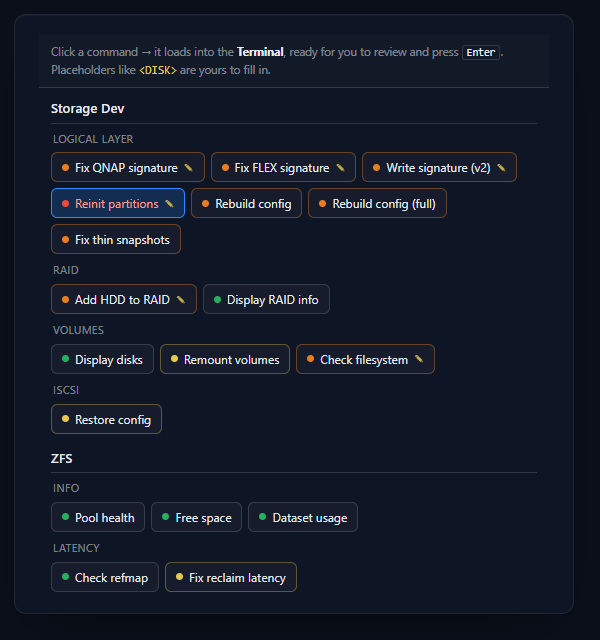
◆ Cheats & Utilities
A palette of ready-to-run recovery/diagnostic commands (Storage, LVM, ZFS, System, Network…) you paste into the Terminal — no memorising.
◆ Pool & Disk — live disk manager
A real window (no more raw terminal): the merged disk table — bay, device, model, capacity, role, pool/volume, state — with one-click graceful hot-unplug and re-add, a full-controller rescan, and a read-only pool-metadata integrity check. Every action confirms first and streams its output live.
◆ MCE Decoder — machine-check analyser
Paste kernel-log / mcelog lines, or scan the live NAS, and every machine-check is decoded into severity, subsystem and a plain-language meaning — with a "leaning" hint (memory vs CPU vs bus) and a how-to-confirm procedure.
Beyond its own original live tools, SDU carries a ready set of proven command-line utilities — reachable straight from the built-in root terminal and the Cheats palette, statically built for x86_64 / ARMv7 / ARMv8:
- Disks & SMART:
smartctl7.4, SeaChest (FARM read), media-health scan tools - Data recovery:
testdisk,photorec,ddrescue - Filesystem forensics: The Sleuth Kit —
fls,icat,ils,fsstat,blkcat… - Network:
nmap,ncat,nping,tcpdump,iperf3 - System & processes:
strace,ps/pgrep/pkill,vmstat, lsof-lite - Shell work: Midnight Commander (
mc), hex editorheh/biew,bash,gawk,sed,find,locate
Categories: storage & RAID · ZFS · disks/SMART · network · processes · data recovery · forensics.
- Browser → unprivileged PHP → (local socket) →
sdlvddaemon (root) → allowlisted tool. - The PHP side never runs commands itself — it asks the daemon for one of a fixed, allowlisted set of operations.
- Configuration can only disable operations, never add. Safe mode tightens the daemon.
- Login is restricted to QNAP system administrators (from
passwd/shadow).
Pick the package that matches your NAS CPU, then install it in App Center → Install Manually. Unsure which? Intel/AMD models are x86_64; most ARM models are ARMv8 (aarch64); older ARM units are ARMv7 (armhf).
A desktop companion that measures the link both ways between a Windows PC and the NAS, and says which side is at fault. An iperf3 test run from the NAS cannot see a fault that lives on the operator's own computer: on the reference machine one direction read 2259 Mbit/s and looked healthy while the other ran at 534, and the cause turned out to be a network adapter sharing a USB hub with an SSD.
It installs per-user, so it needs no administrator rights, and it starts its own iperf3 listener — which is what lets a NAS measure towards the PC as well.
Silent install: NetScope-latest.exe /S. Needs the Microsoft
WebView2 runtime, which is already present on Windows 11 and on updated Windows 10; the
installer fetches it only when it is missing.
| Platform | QNAP QTS / QuTS hero 5.2+ |
| Architectures | x86_64 · ARMv7 (armhf) · ARMv8 (aarch64) — a separate, lean package (~40 MB) per architecture |
| Install | manual install of the sdu.qpkg package in App Center (Install Manually) |
| Access | web panel via the QTS proxy (/sdlv) or the local port; sign in with an administrator account |
| Privacy | runs locally on the NAS; nothing goes to the QNAP cloud or to any AI |
Provided “AS IS”, without warranty of any kind. Not a QNAP product — not made, supported or endorsed by QNAP; “QNAP”, “QTS”, “QuTS hero” are marks of QNAP Systems, Inc. Licensed, not sold (no resale/redistribution). The daemon runs as root — handle with care. Liability is limited to the maximum extent permitted by law; this does not limit your statutory consumer rights.